
Open-source light novel reader
Shiori is an open-source light novel reader. Import your EPUB or TXT books, choose a layout you like, and read on your phone or computer.
Free and open source. No account required to read imported books.



Android · Single-page reading
Windows · Two-page reading · Chinese UI
Real interfaces from v1.4.0. Screenshots feature our original demo novel, The Last Line on the Blue Library Card. Third-party novels are not bundled with Shiori.
Comfortable reading
Read your way.
Read a single page on your phone or use a two-page layout on a wider screen. Open illustrations for a closer look whenever you like.
Make the page your own
Choose your font, text size and line spacing. Switch between white, warm paper, and night themes.
Choose how pages turn
Choose a page-turn animation or turn animations off. On desktop, you can also use the keyboard or mouse wheel.
Words and pictures belong together
Read common DRM-free, reflowable EPUB 2/3 and TXT books, with illustrations and supported book styling.
Windows · Two-page reading · Chinese UI

Find that detail again
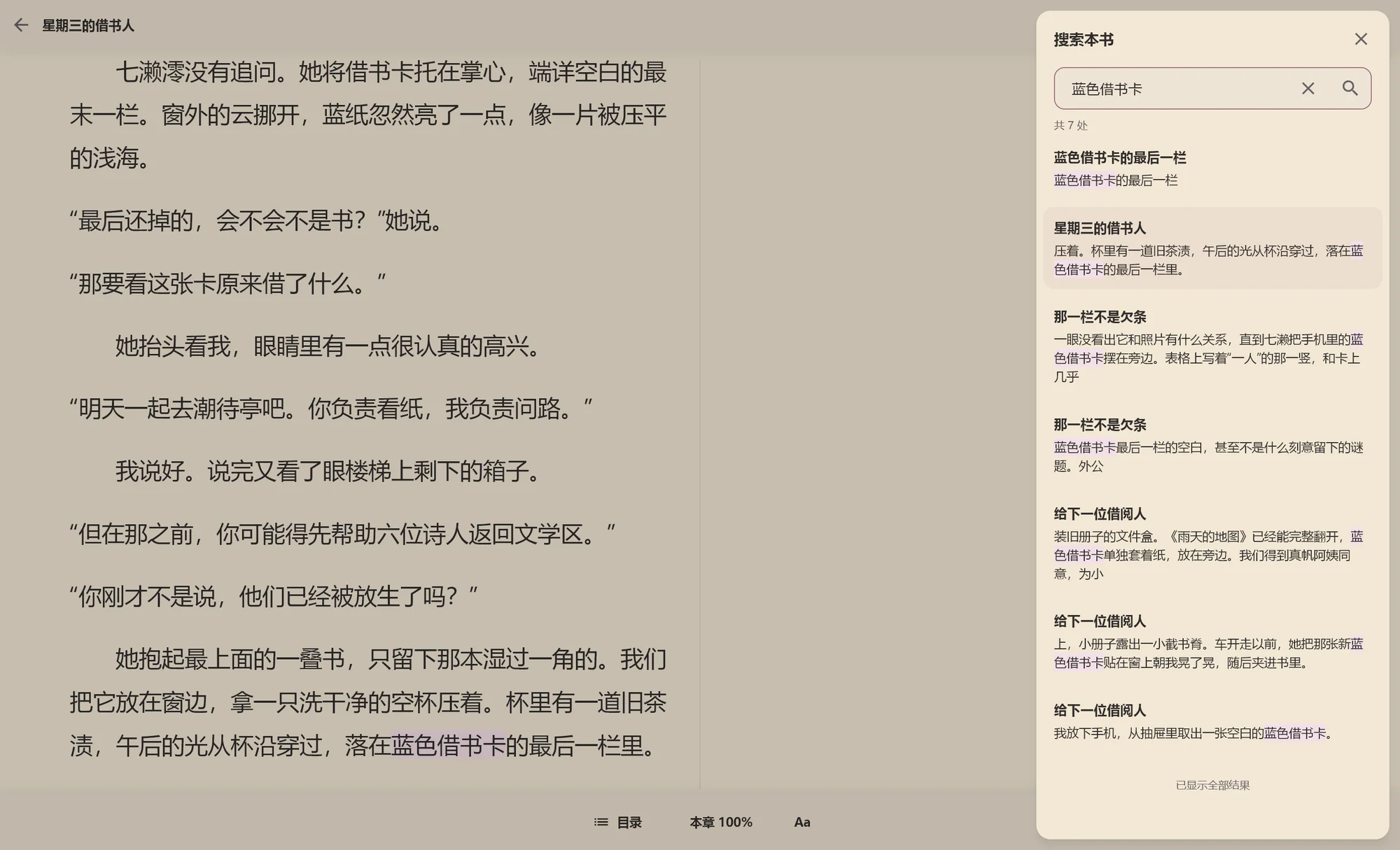
Find the passage you want to read again.
Search inside a local EPUB or TXT. See the chapter and surrounding words before jumping to the highlighted match. When you are done, return to where you were reading.
Windows Ctrl + F / macOS ⌘ F
Full-text search works with imported books. Whole-book search is not available for online titles.
- Search inside your EPUB or TXT.
- Check the words around a match.
- Return to where you were reading.
Windows · Local full-text search · Chinese UI
Worth another read
Bookmark passages to revisit later.
Save bookmarks in imported books or online titles, then open them from My Bookmarks whenever you want to return.
- Save multiple bookmarks in the same book.
- Return to your original place and carry on reading.
- Clearing the cache does not delete your bookmarks.
Jump back to your saved passages.
Save a bookmark → Revisit a passage → Continue readingYour books, your bookshelf
Start with your own library.
Import an EPUB or TXT. Your books, reading progress and bookmarks stay on your device. Local reading needs neither a connection nor an account.
Online reading is optional. Find titles through LightNovel.fun, then read cached chapters and resources offline when they are available on your device.
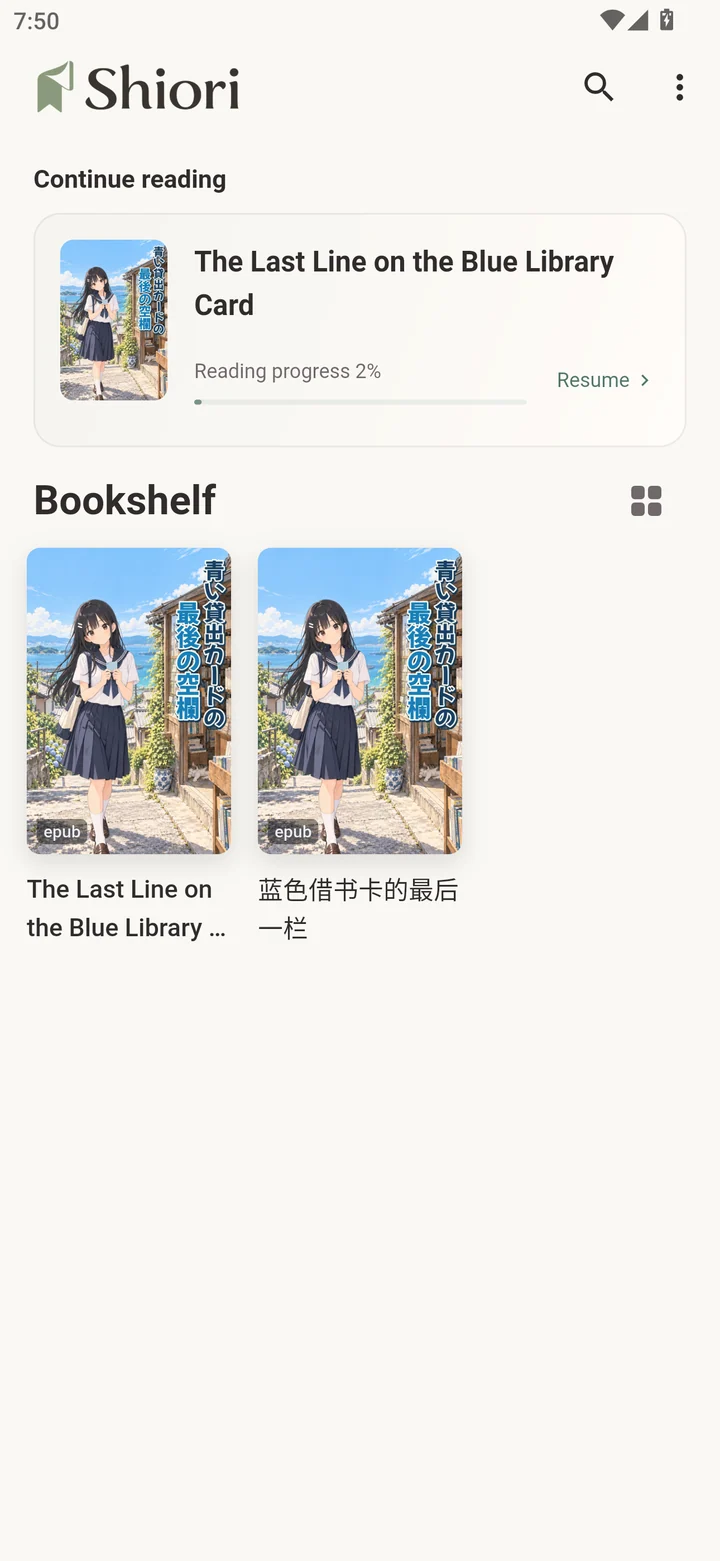
Shiori does not bundle third-party novels and is not affiliated with LightNovel.fun.
Read on your phone or computer.
Read on Windows, macOS, Android and iOS / iPadOS. Each device keeps its own books and reading history. Cross-device cloud sync is not available.
- Windows
- macOS
- Android
- iOS / iPadOS
Screenshots show Windows and Android, not macOS or iOS.
Download
Download Shiori. Start reading.
Choose your platform to download the latest stable release and see how to install it.
Loading download details…
Android
Android 7.0 or later · APK
Allow installation from the APK’s source when your device asks.
Full installation guideAll downloads come from this project’s official GitHub Releases.
Frequently asked questions
Which book formats can I read?
TXT and common DRM-free, reflowable EPUB 2/3 books. Complex styling may fall back to readable text. PDF, DRM-protected books and full fixed-layout EPUB are not supported.
Do I need an internet connection?
Imported books work offline with no account. Online searches, uncached chapters and update checks need a connection. Previously cached online chapters and resources may be read offline.
Will my phone and computer sync automatically?
No. Cross-device cloud sync is not available. Each device stores its own books, reading positions and bookmarks.
How do I install the Windows version?
Use the EXE installer and follow the setup wizard. For portable use, extract the entire ZIP and run shiori.exe, keeping all accompanying files. Both editions support in-app updates.
Why does macOS show a security warning?
The app has no Apple Developer ID signature or notarization. After checking that it came from this project’s official Releases, you may need to confirm opening it in System Settings → Privacy & Security. Copy it into Applications before running or updating.
Can I install the iOS IPA directly?
No. The public IPA is unsigned. You need to sign, install and update it yourself. The share extension may also need matching App Group authorization.
How should I report an EPUB compatibility issue?
Open a GitHub issue with your app version, operating system, steps to reproduce and screenshots. Where possible, include a minimal sample you have permission to share. Do not upload private information, passwords or entire copyrighted books without permission.
About Shiori and your data
Shiori is an open-source project built around local reading. The app stores your bookshelf, progress, bookmarks, preferences and imported copies locally. System backups and device migration may include that data.
Optional online reading contacts third-party sources. Update checks and downloads contact GitHub Releases and its download services. This website requests the GitHub API for download details and includes no analytics tracking or account system.
Shiori is an unofficial third-party client, with no affiliation with or endorsement by LightNovel.fun or its operators. It does not bypass authentication, payment, access controls or DRM. Third-party content and trademarks belong to their respective owners.
Source code is licensed under MIT. That license does not grant rights to the Shiori name, logo, app icons or third-party assets.